Change Your Yearbook Submission Date
Do you need more time to complete your book? Need to change your book due date? It’s super simple!
How to change your book / submission due date:
Step 1 – Log into Yearbook Master
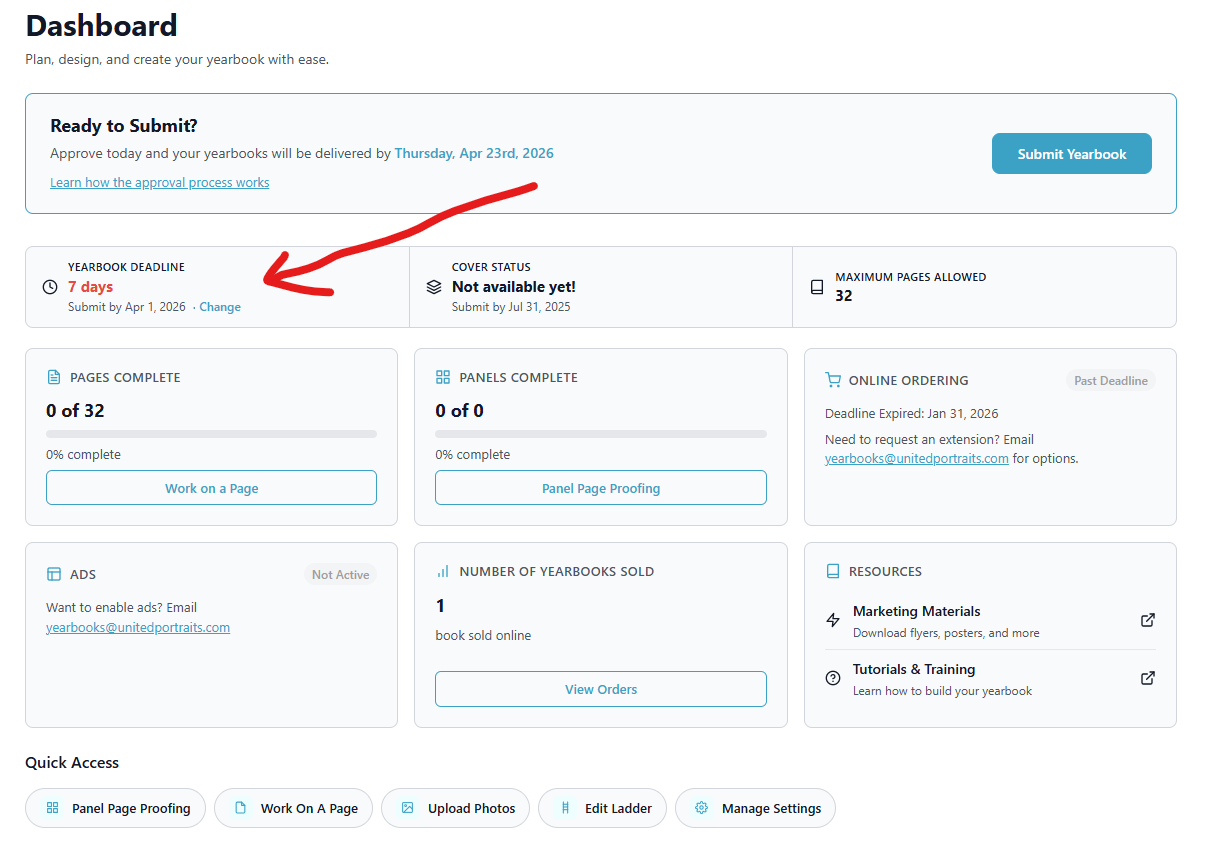
You’ll log into Yearbook Master and see your dashboard.
Step 2 – Click on “Change” under the due date section
– The top left section where it says “Yearbook Deadline”
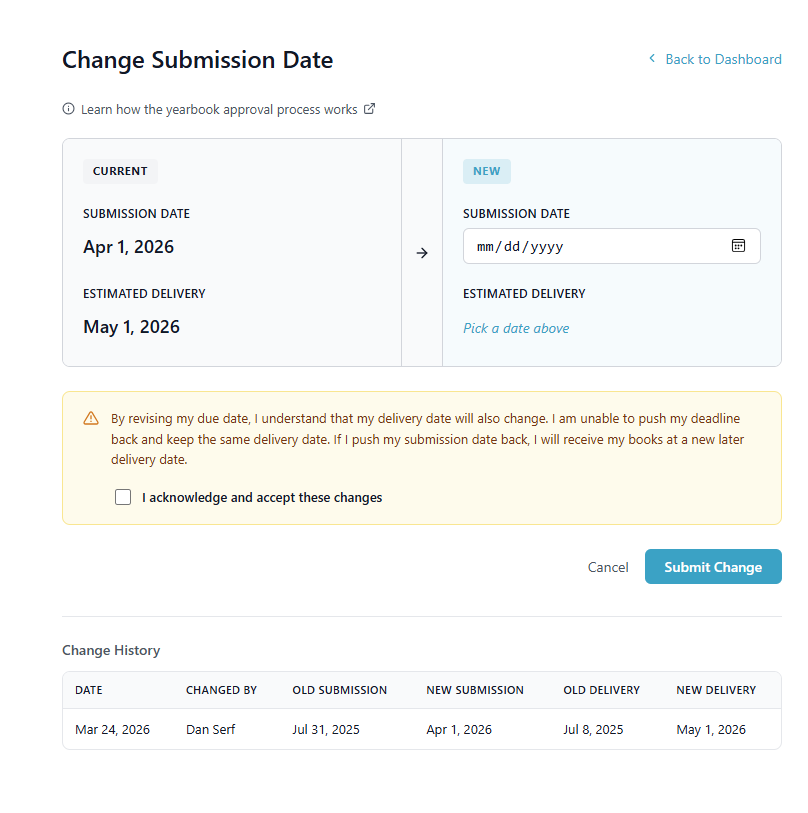
Step 3 – Choose a new due date
If you push your due date, you will also have a new delivery date.
Step 4 – Click Submit
Now your due date is updated! You can come back and make any changes in the future, too.