Change The Online Ordering Due Dates & Prices
Want to change how much your book is selling for online?
Need to extend your ordering?
Want to cut off ordering?
How to change your online ordering pricing and cutoff dates:
Step 1 – Log into Yearbook Master
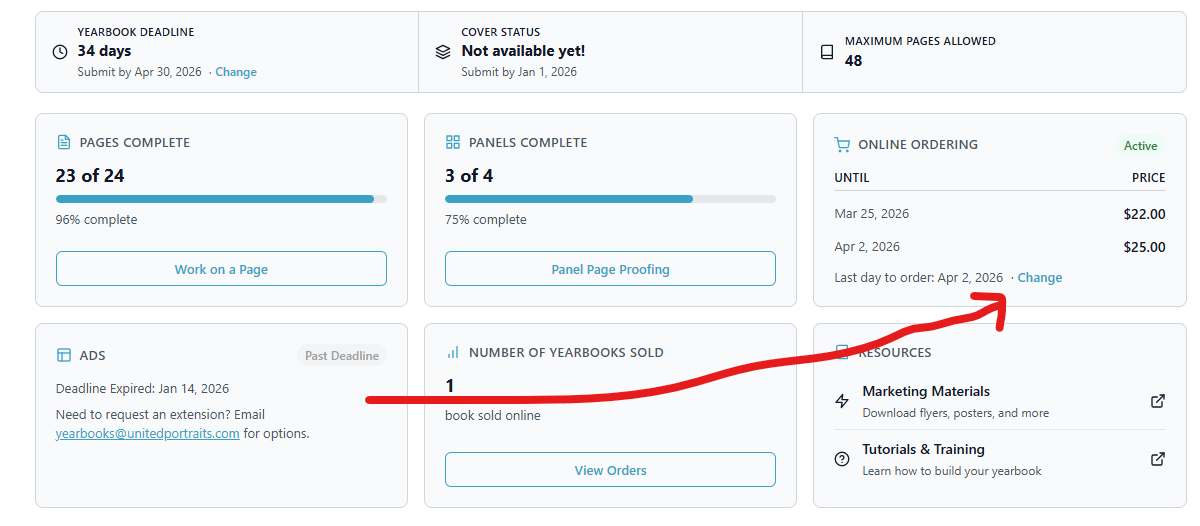
You’ll log into Yearbook Master and see your dashboard.
Step 2 – Click on “Change” under the “Online Ordering” section
– The section where it says “Online Ordering”
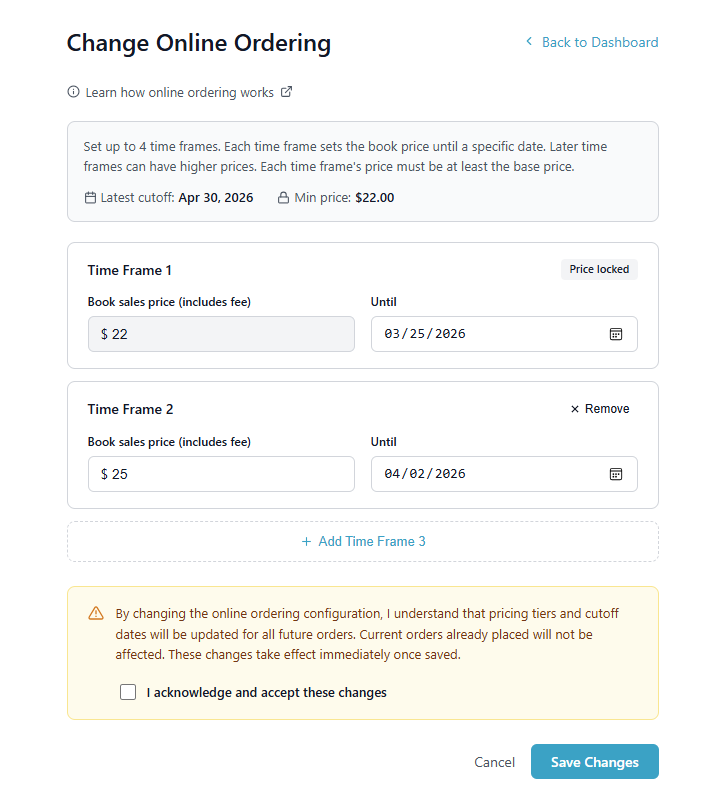
Step 3 – Set the book sales price
You can set your price to whatever you’d like.
The price will INCLUDE any of the online ordering fees.
If you wish to have your price lower than the minimum seen on the page, please contact us directly.
Step 4 – Choose an “Until” date
You can extend your ordering, or you can turn it off by selecting a date prior to today.
Step 5 – Click Submit
Now your pricing and/or cutoff dates are updated!
You can come back and make any changes in the future, too.