Yearbook Master – Finding & Adding Group Photos
Where can I find the group photos that United Portraits took?
Groups automatically show in Yearbook Master!
Class Photos
Once the class photos are finished in editing, they will appear in Yearbook Master.
Clubs & Sports
They will also show the same as the class photos do.
Where to see them:
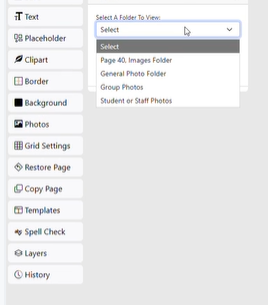
Go to “Work on a Page” in Yearbook Master
– On the left, click “Photos”
– From the dropdown, click on “Group Photos”
– Any of the photos taken by United Portraits will appear here
Note: It takes about ~15 days after picture day before group photos are available in Yearbook Master.
The name of the file will depend on what your school has chosen during the naming process.