Yearbook Master – Guides
What do all the colors mean on the page?
Guides have been set up so you can keep your designs in the right place.
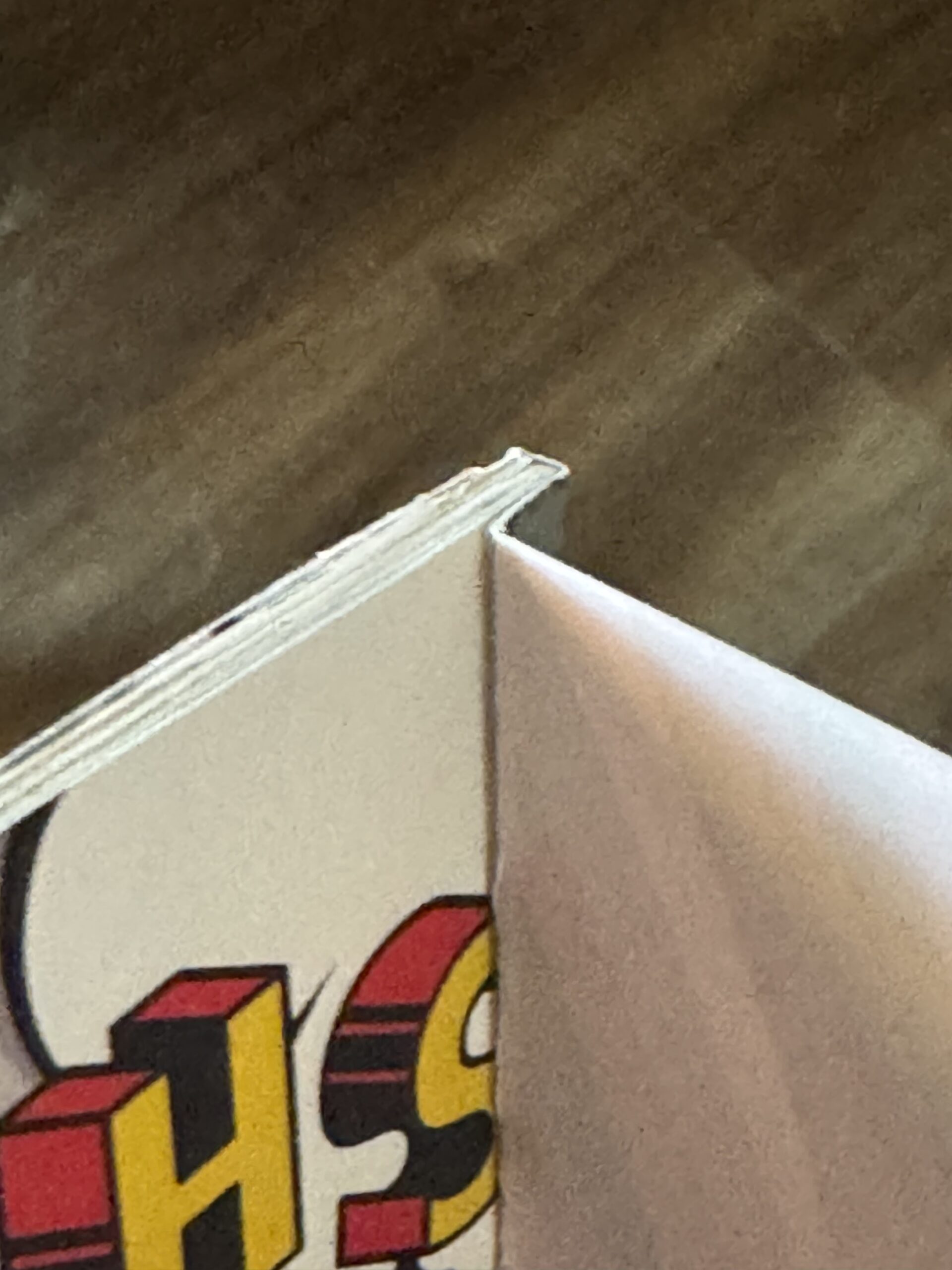
Red Guide
This is your bleed line. Extend graphics or artwork to this line to make them bleed off the page.
Blue Guide
This is the cut line. This is approximately where your book will be cut. There is some variance, the book can be cut anywhere between the green and red lines, but we try to keep the cutting as close to the blue as possible.
Green Guide
This is the safe area. Keep all text and photos inside these lines to ensure they are not cut off in the final book.
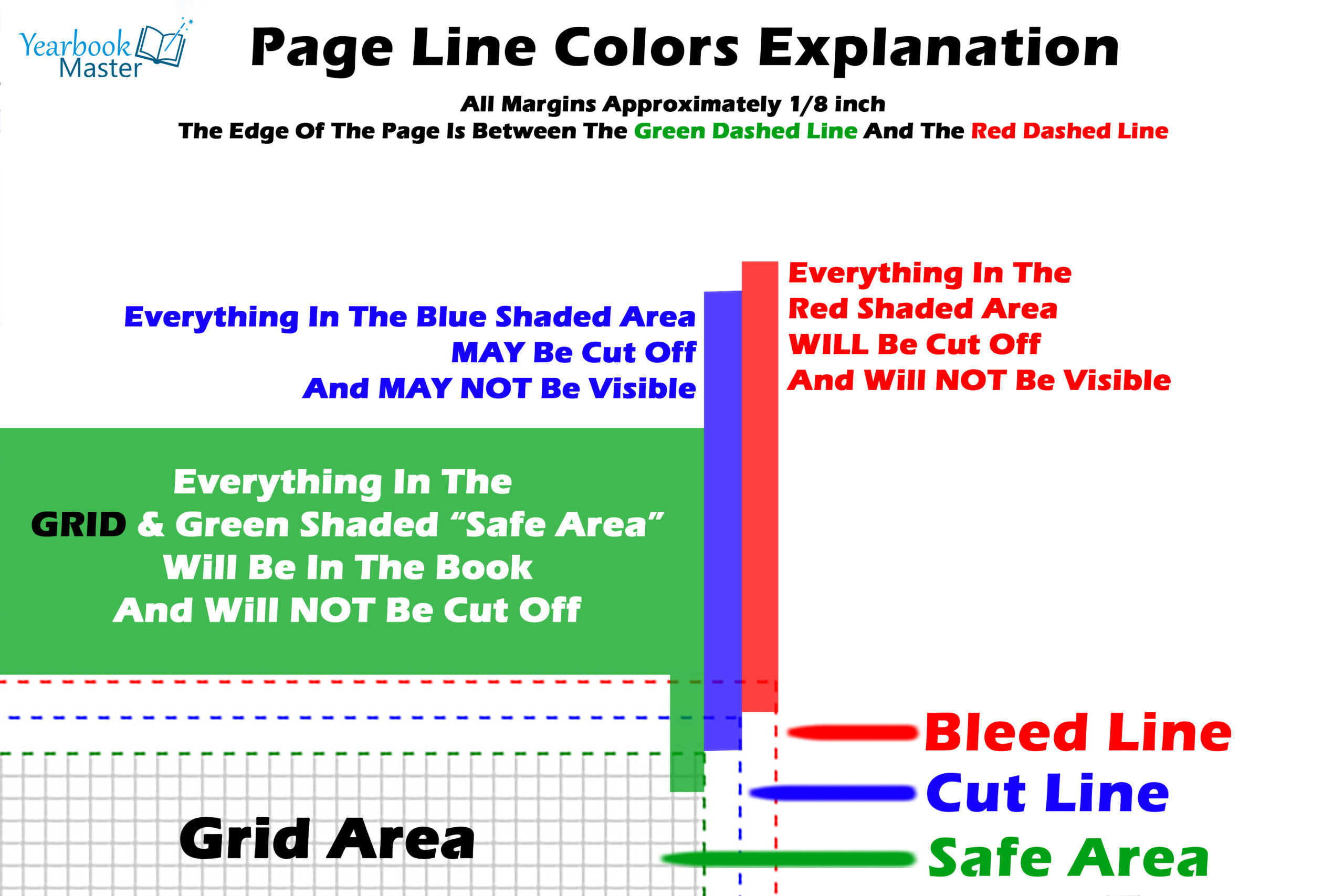
Glue Guide
These are only on the first and last page of the book. Avoid putting anything in these areas as anything inside this area will not be visible when your book is printed. This is due to the book cover hinge and where it’s attached to the book block.
First / Last Page – Glue Area Guide
The first and last page of your book will also have a glue area guide. You will want to avoid putting anything in this area, as it will not be able to be seen. The first page has the glue area on the left, and the last page has the glue area on the right. This is due to the book cover hinge and where it’s attached to the book block.
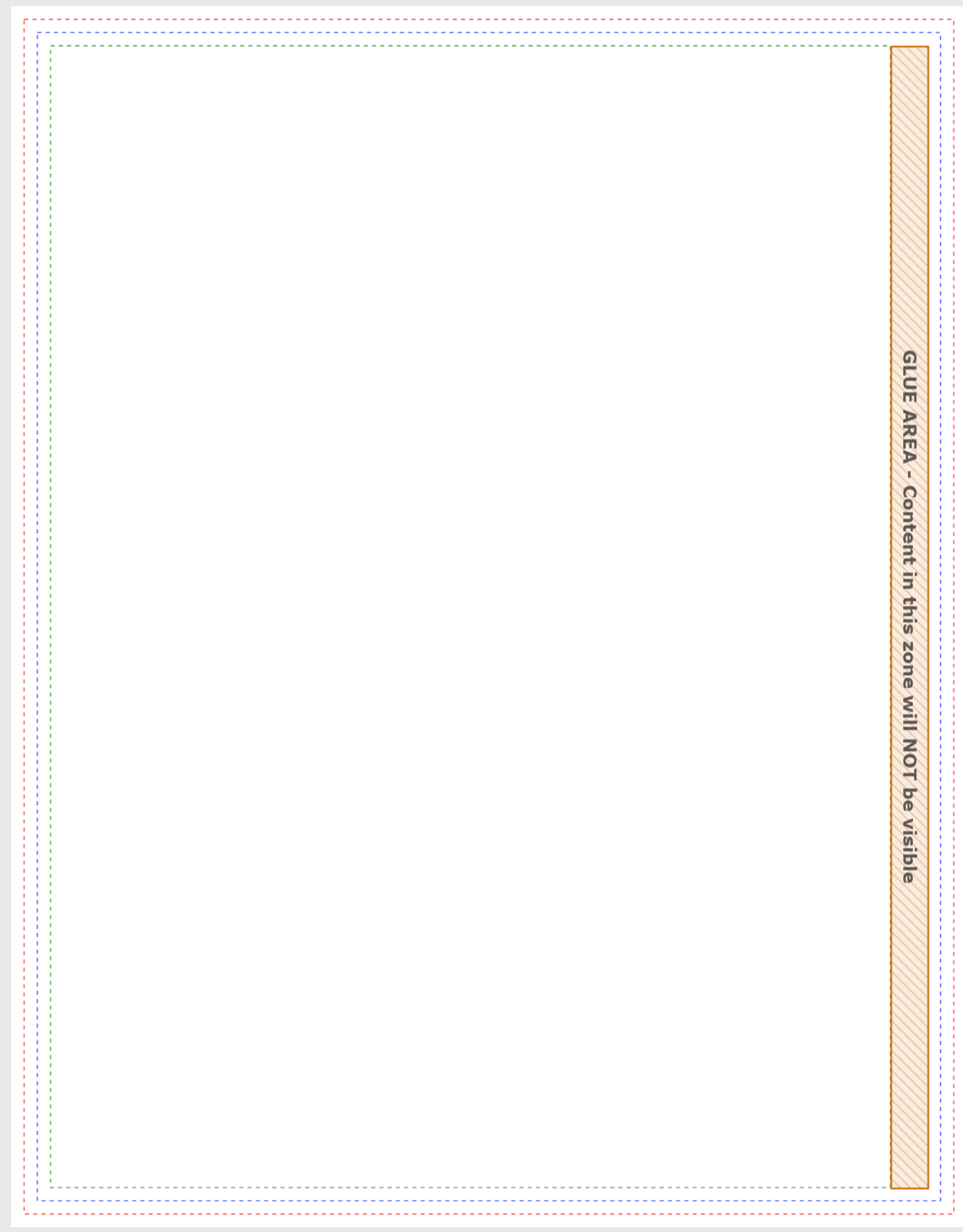
Glue Area – Front Cover / First Page Example
You can see that where the cover attaches to the book block on the FIRST PAGE. There is some space on the left of PAGE 1 that will NOT be visible when opening the book.
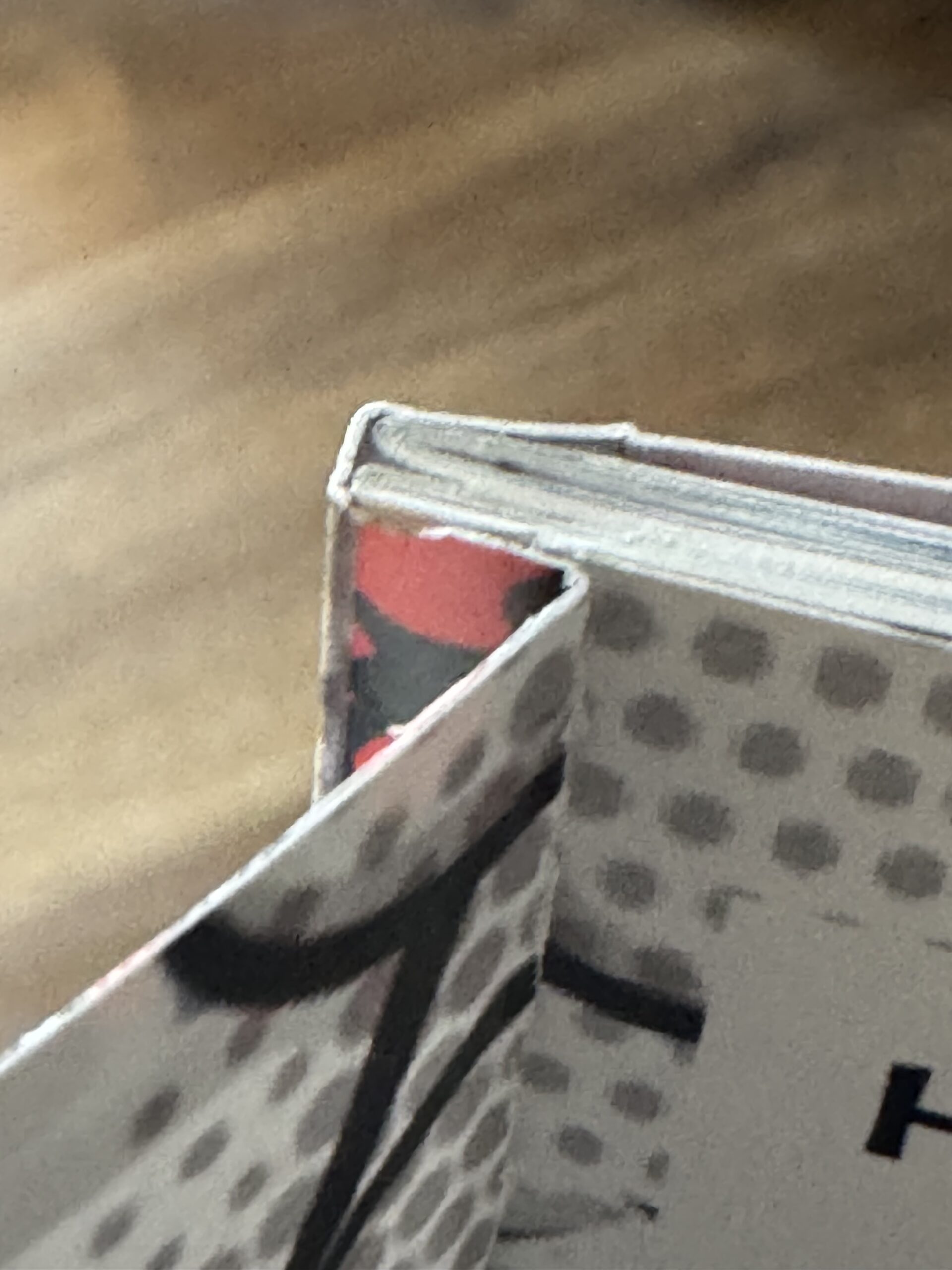
Glue Area – Back Cover / Last Page Example
You can see that where the cover attaches to the book block on the LAST PAGE, there is some space on the right of the LAST PAGE that will NOT be visible when opening the book.